“Spectera Studio” helps you plan, edit and migrate Spectera set-ups with ease

Powerful new tool simplifies and streamlines Spectera workflows from system planning to configuration and deployment
Wedemark, April, 2026 — Sennheiser has announced the availability of Spectera Studio, a system planner for its bidirectional wideband wireless ecosystem. Spectera Studio supports operators during the preproduction/preparation phase and when reconfiguring set-ups between deployments. It enables engineers and technicians to plan full Spectera systems, migrate existing configuration files, and create or edit set-ups offline without requiring a connection to a Base Station.
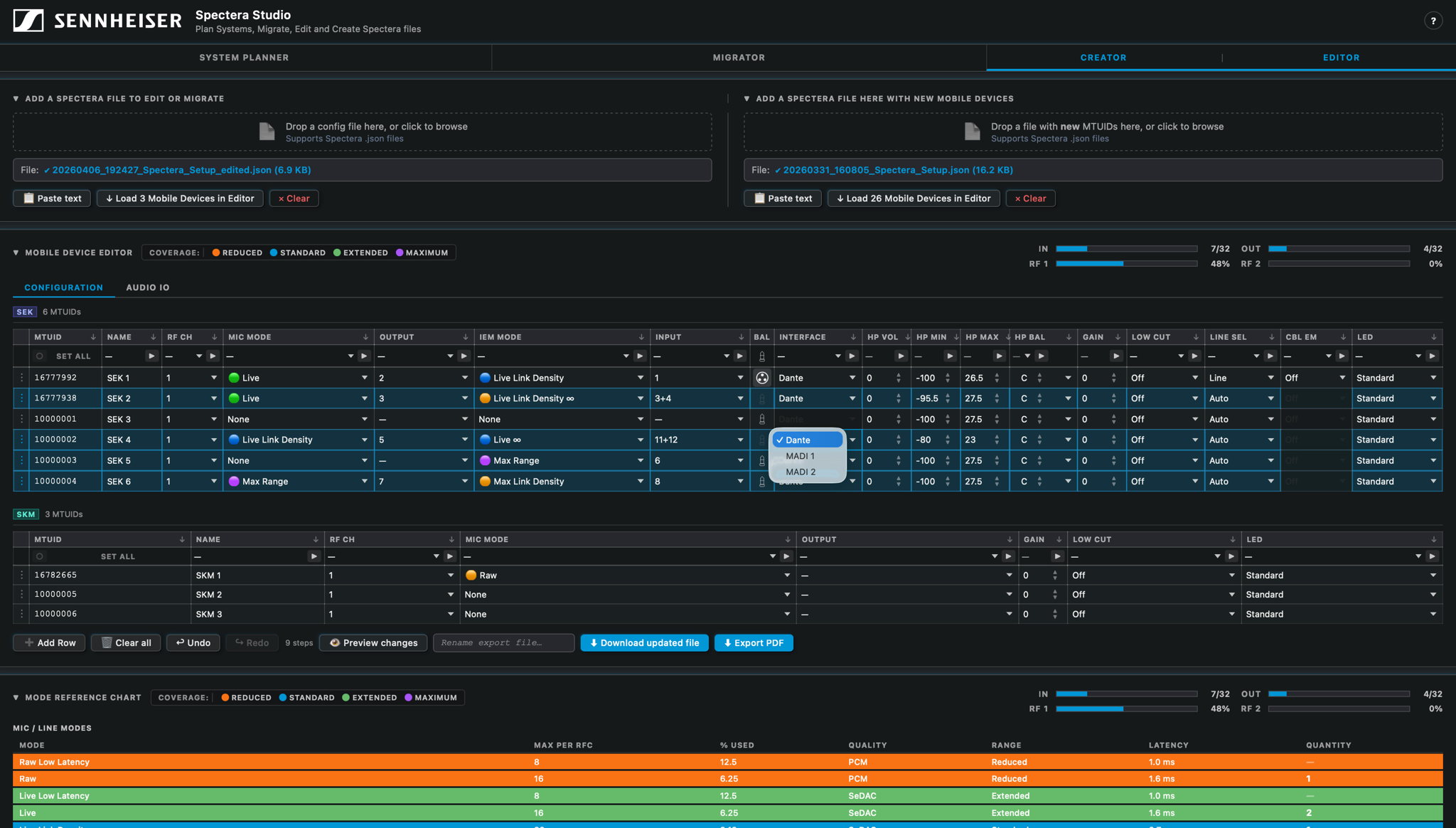
“This is what Spectera users have been waiting for: A straightforward tool that lets them prepare a show offline or import settings from Spectera WebUI and modify them,” notes Greg Simon, Director, Technical Applications Engineering at Sennheiser. “Spectera Studio closes a gap for operators who want to seamlessly migrate saved configuration files from WebUI for use with new mobile devices, or batch edit all or selected mobile device parameters within an existing save file. Of course, users can also build entirely new configurations from scratch, without requiring connection to a Base Station.”
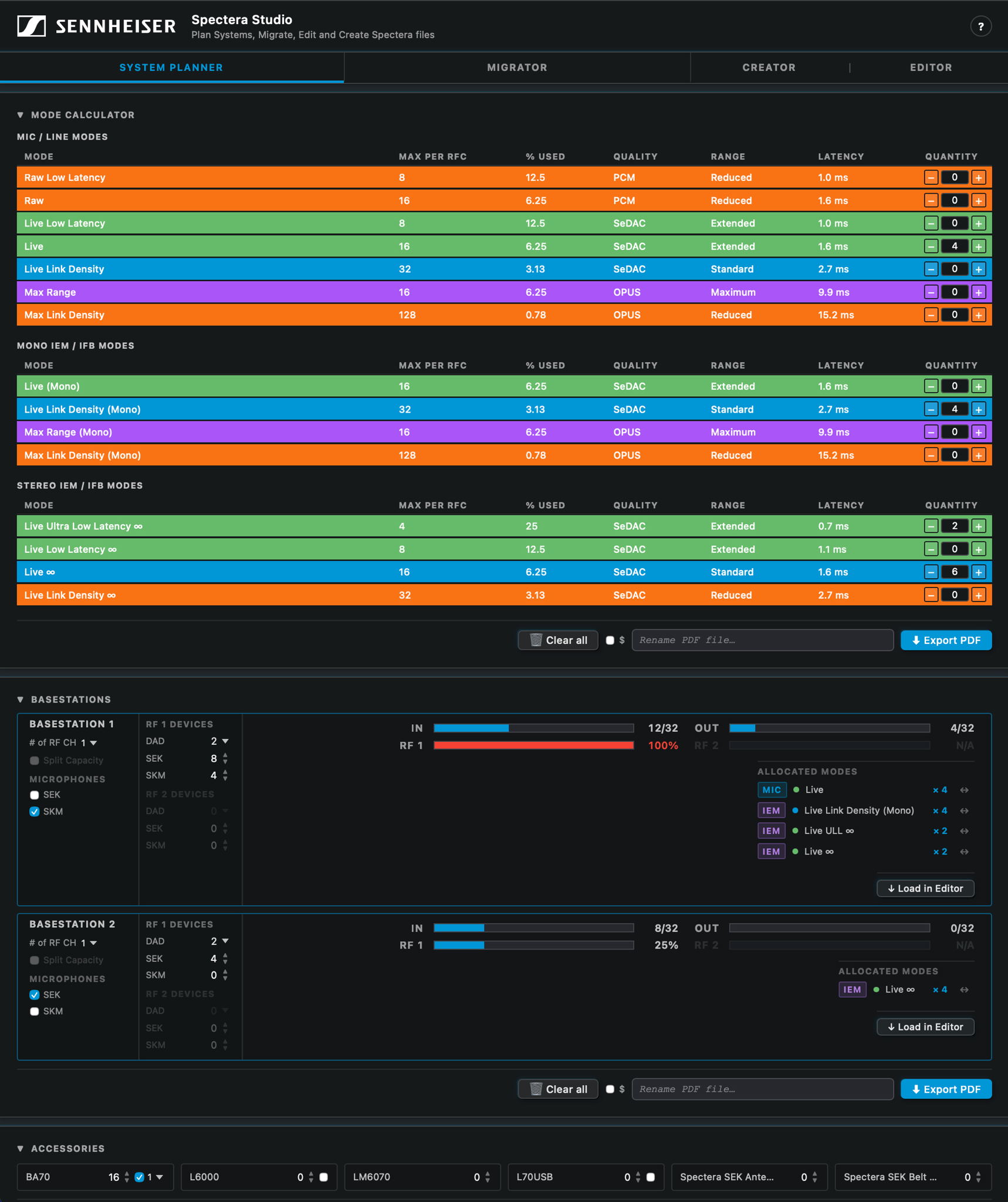
Beyond configuration management, Spectera Studio functions as a comprehensive system planner. Within the planner interface, link modes, mobile devices, and antenna configurations per RF channel can be specified. Based on these inputs, Spectera Studio calculates RF capacity usage and determines the number of Base Stations required for the set-up. Users are able to specify accessories and can download a system overview in pdf format for planning and documentation purposes or for sharing. Planned Base Station configurations can be loaded directly into the editor to begin building system files for deployment.
For editing and creation, users simply load a Spectera WebUI save file or start from scratch by adding new rows to begin building their configuration. They can combine multiple save files or add new devices to existing save files. Once completed, the new, edited, or migrated file is exported and uploaded to a Base Station to apply the settings.
Spectera Studio works with save files that are tied to the Mobile Transmitter Unique ID (MTUID) of each mobile device. For successful deployment, uploaded files must contain MTUIDs that match the devices paired to the Base Station. Spectera Studio simplifies this process by allowing users to view and update MTUIDs across multiple locations within the file, preventing configuration errors by aligning device IDs with paired Base Stations.
“By combining planning, editing, and migration in one tool, Spectera Studio significantly improves efficiency in system set-up, reconfiguration, and scaling of multichannel environments,” concludes Greg Simon.
Spectera Studio is currently hosted on the SoundBase page, next to the Spectera Mode Planning tool and Spectera Walk Test tool.
(Ends)
The images accompanying this media release plus additional tool screenshots can be downloaded here.
Spectera Studio system planner.docx
DOCX - 4.5 Mb
Spectera Studio system planner.pdf
PDF - 370 Kb